LayerFX: Layer-Based Fullscreen Effects for URP
Create powerful fullscreen effects in URP with precise control over what gets rendered. Apply blur, distortion, shockwaves, reflections, and custom shader effects to exactly the layers you choose.
Select a layer mask, add one or more materials, and LayerFX will automatically apply your effects to the selected content.
See LayerFX in Action
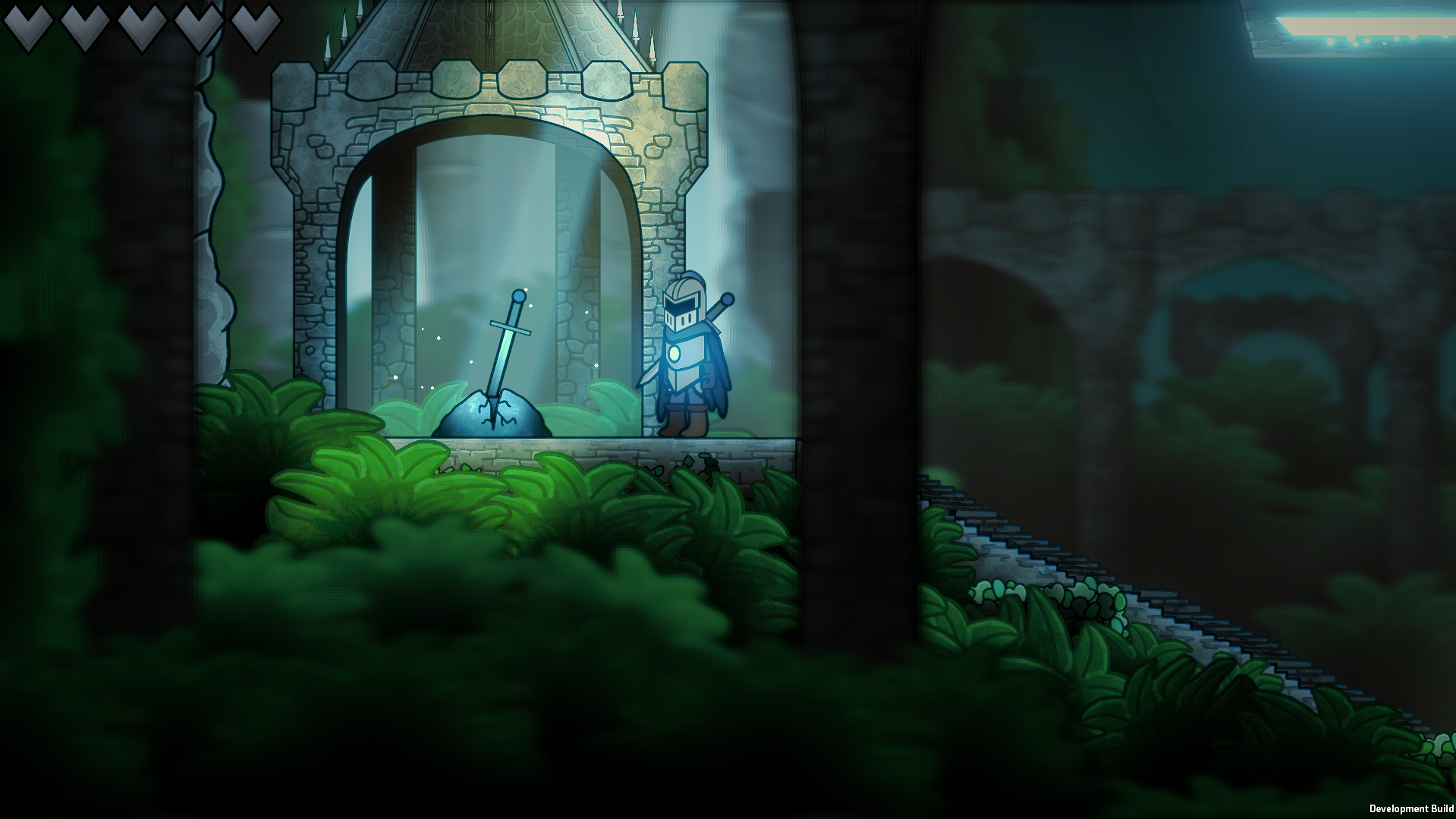
Selective blur
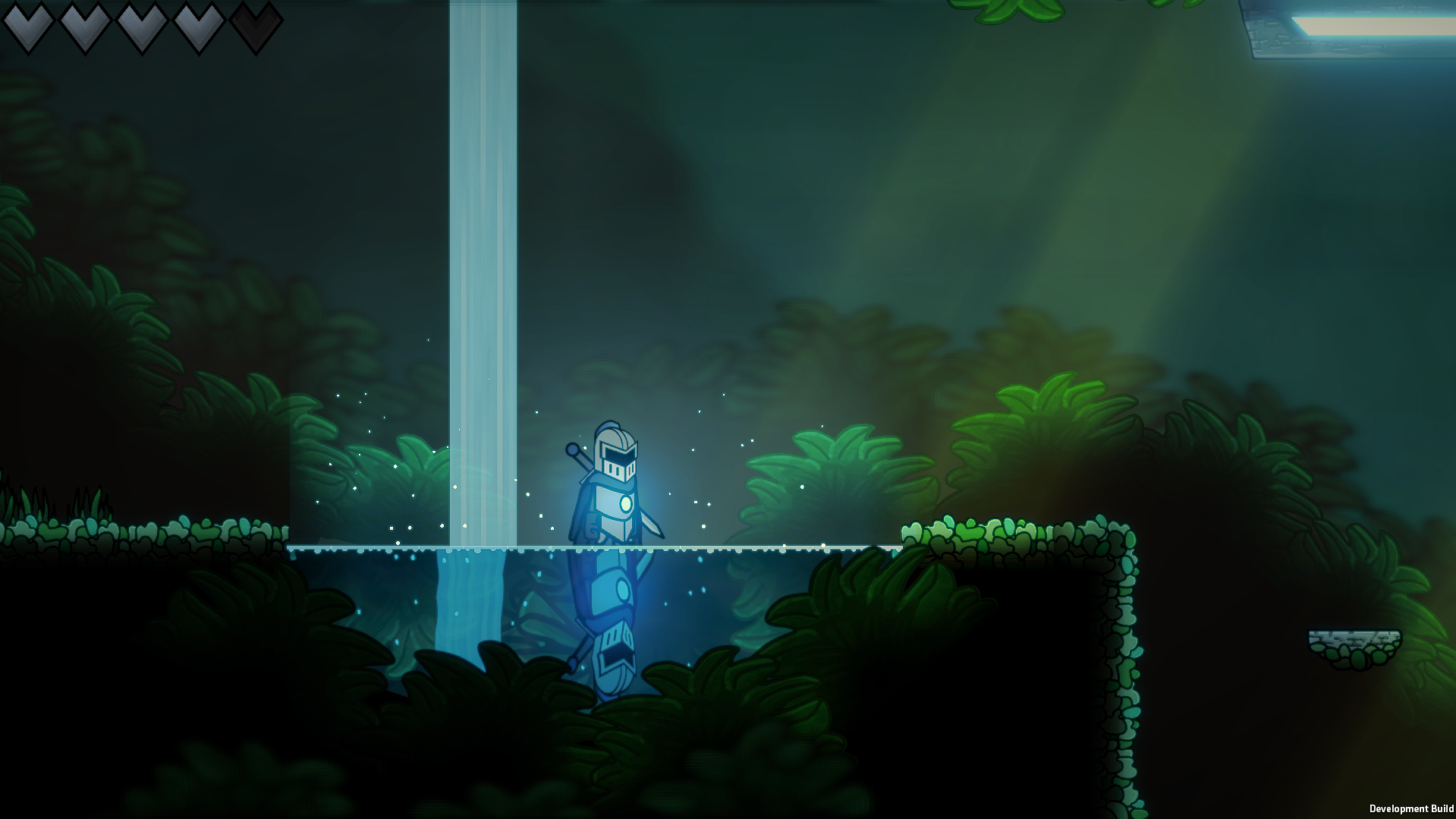
Water distortion and reflections
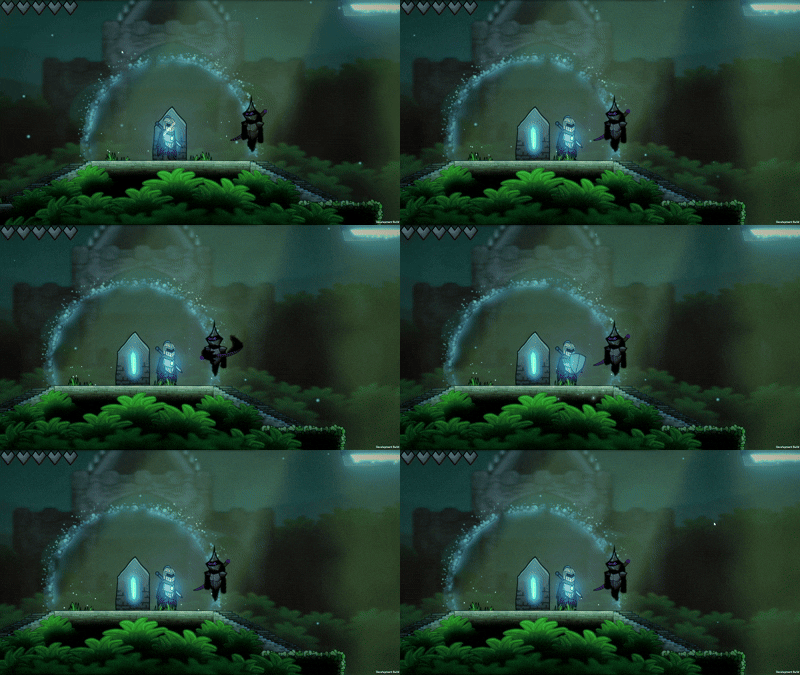
Dynamic shockwaves
Watch the Trailer
Why LayerFX?
Traditional post-processing workflows typically affect the entire camera output. LayerFX gives you precise control over what receives effects.
Create:
- Background-only blur
- Player-only distortion
- Selective bloom
- Custom shockwaves
- Reflection effects
- Multi-pass shader effects
Capabilities
Fast Setup, Powerful Results
LayerFX is simple to set up and only takes a few minutes to configure. It was designed with ease-of-use in mind. Simply select your layer mask or input texture, and add your materials!
Multiple Workflows
LayerFX offers 3 different workflows depending on your project's needs.
Hidden Camera: Render your effects through an efficient internal camera that LayerFX will automatically configure. This mode fully supports URP lighting, shadows, and post-processing.
External Texture Workflow: Input a custom Render Texture and let LayerFX process it with your selected materials before compositing it back onto the screen.
Renderer List: A more efficient pipeline for projects that do not require URP lighting, shadows, and post-processing.
Combine Multiple Effects
LayerFX supports material stacking, allowing you to combine multiple shader effects into powerful multi-pass rendering chains.
Custom Material Support
Custom materials are fully supported with LayerFX, allowing you to create your own shader workflows. Visit the Custom Materials Page to learn more about material requirements.
Efficient Rendering
LayerFX is designed to be lightweight, with performance depending on material complexity, resolution, and the amount of content being processed. You can learn more about performance benchmarks and testing here.
Compatibility
LayerFX is compatible with most Unity 6 LTS versions.
It is designed for the URP pipeline.
While LayerFX was designed with 2D projects in mind, it is also capable of rendering fullscreen effects in 3D projects.
You can learn more about version support here.
What's Included
LayerFX comes with its main runtime and editor scripts, as well as a wide variety of sample content, including:
- A demo scene demonstrating LayerFX's capabilities.
- 6 ready-to-use Shader Graph effects, including blur, distortion, shockwave, and more.
- 1 HLSL example shader.
- A preconfigured 2D Renderer, set up with LayerFX.
Visit the Contents Page to learn more about the included content, as well as the folder structure and where to find each item.
Getting Started
Explore some of the Usage Examples to see LayerFX in action.
Visit the Quick Start Guide to begin setting up LayerFX in your project.
Visit the API Reference Page to learn more about the different settings and variables that can be used to configure your effects.
Contact the Developer
For support, queries, or bug reports, you can contact the developer at myth07games@gmail.com.
For bug reports, please include your Unity version, URP version, and a description of the issue.